 How-to
How Do You Track a Food Delivery Order in Real Time?
Last Updated: November 1, 2026
Quick Summary
To track a food delivery, open the app or website where you ordered and go to your order history or active orders screen, where the current status and estimated arrival time appear at the top. Your confirmation email or text holds the order number and tracking link you'll need if you contact support. Live tracking shows the driver's GPS location on a map, but the estimated delivery time is often the more reliable signal.
- Save your order confirmation, since it holds the order number, tracking link and contact details.
- Order through an account rather than as a guest to make tracking easier.
- A driver who appears to drive away from you likely has a stacked order with a second pickup or drop-off.
- If the map shows no driver at all, calling the restaurant is the right first move.
- Keep your order number, current status and original estimated delivery time ready before you call support.
Table of Contents
- How to Track Food Delivery: The Basics You Need First
- How to Check Food Delivery Status on a Website or App
- Food Delivery Live Tracking: Reading the Map and Driver Location
- What Each Delivery Status Update Actually Means
- Food Delivery Order Delayed: What to Do and When to Call
- Tracking Notifications, Privacy, and Delivery Instructions That Work
- Tracking Your Famous Pizza Order from Oven to Door
- Frequently Asked Questions
How to Track Food Delivery: The Basics You Need First
Learning how to track food delivery starts with one fact: every order creates a digital trail, from the moment you hit "confirm" to the driver handing you a bag.
Your order confirmation is your ticket: it holds the order number, the tracking link, and the contact details you'll need later. Save it. Screenshot it. Don't delete the email.
A tracking link is a web address that opens a live view of your order's progress. A tracking number is the short code tied to that order.
Three things make tracking easy:
- Order through an account, not as a guest
- Keep the confirmation email or text
- Note the restaurant's phone number before you get hungry
How to Check Food Delivery Status on a Website or App
To check food delivery status, open the app or website where you ordered and go to your order history or "active orders" screen. The current status appears at the top, usually with an estimated delivery time.
Here's the typical path:
- Open the app or site and sign in
- Tap "Orders" or "Order History"
- Select the active order
- Read the status banner and estimated arrival time
On a web dashboard, the same information lives under "My Orders." Some services email a direct link that skips the login step entirely. Use it.
Using Your Order Number and Tracking Number
Your order number identifies the purchase. Your tracking number follows the delivery. If you call customer support, they'll ask for the order number first.
Where to find both:
- The confirmation email subject line or body
- The confirmation text message
- Your account's order details page
If you ordered by phone, ask for the order number before you hang up. It takes five seconds and saves ten minutes later.
Food Delivery Live Tracking: Reading the Map and Driver Location
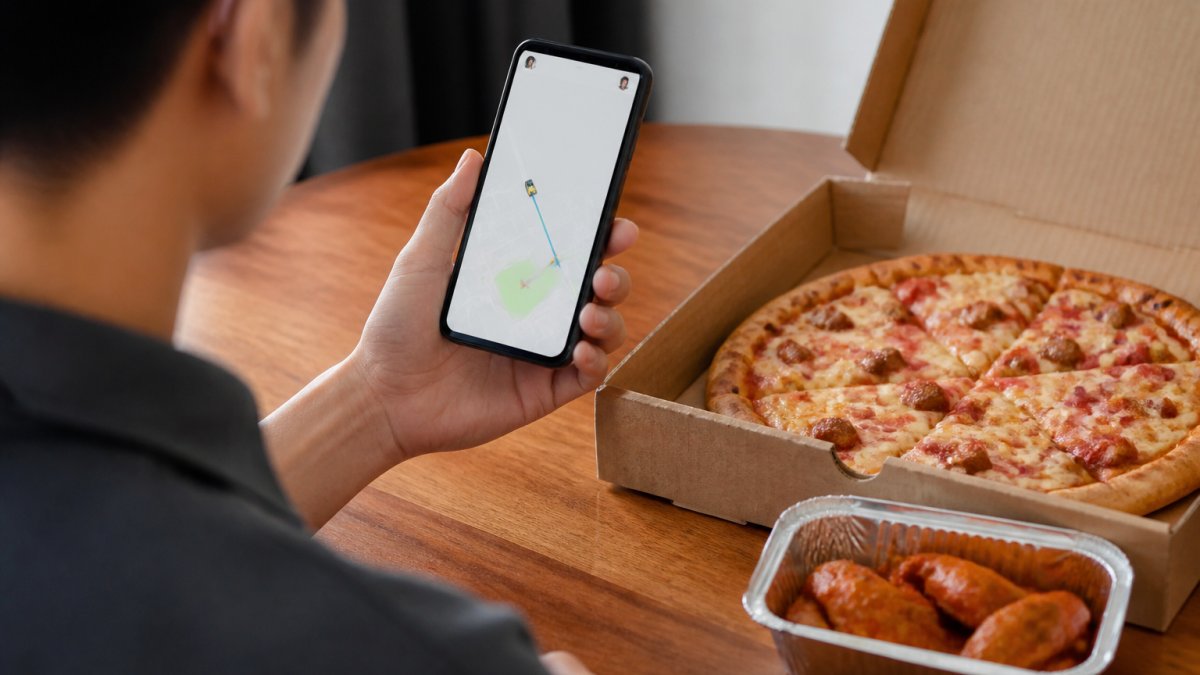
Live tracking shows a delivery driver moving on a map in real time. The dot is based on the GPS location reported from the driver's phone to the platform, which plots that point on your screen.
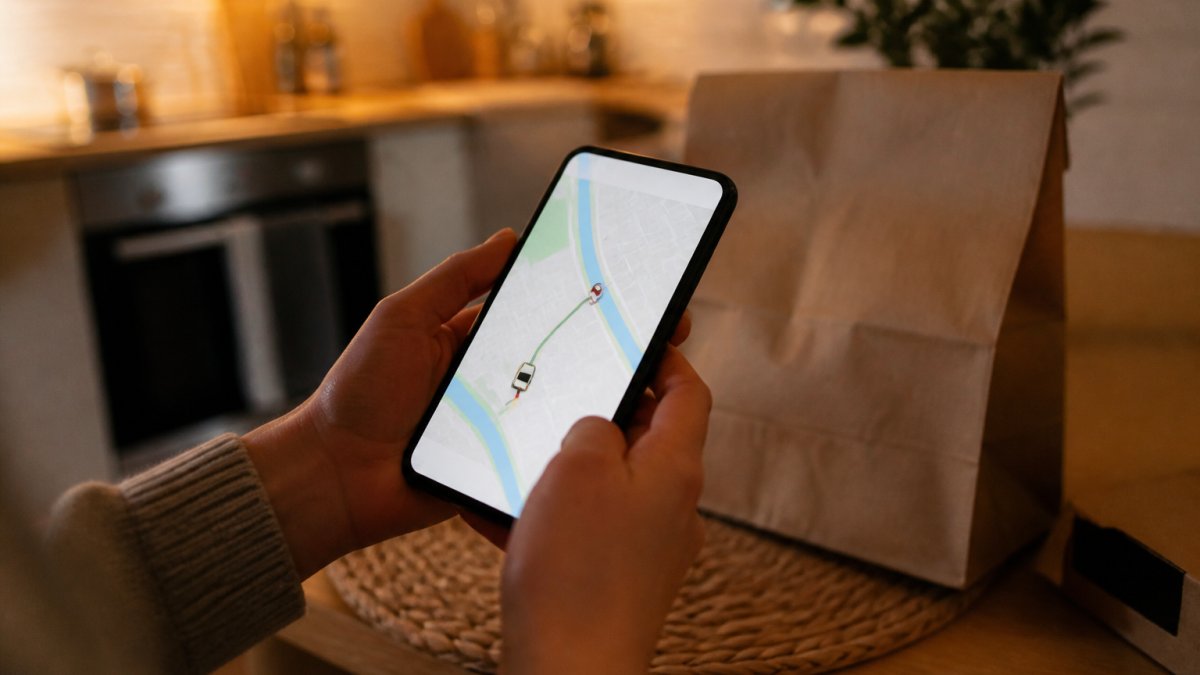
That lag explains most of the weirdness you'll see. A driver sitting still at a red light is reporting accurately. A driver who seems to teleport three blocks is a phone that lost signal in a garage or tunnel and reconnected.
What the map is actually showing you
Behind the moving dot are four separate handoffs, and the map compresses all of them into one line:
- Restaurant acceptance and prep. The kitchen confirms the order and gives the platform an estimated ready time. The map usually shows the driver heading toward the restaurant during this window, not toward you.
- Courier assignment. The platform offers the job to a driver, who accepts. Until someone accepts, the map may show no car at all, normal during peak hours.
- Pickup. The driver arrives, waits for the bag, and taps a pickup confirmation in their app. That tap flips your status to "on the way." If the food is bagged but the driver hasn't tapped, your status can look stuck even though the food is ready.
- Drop-off. The driver navigates to your address, parks, and walks the order to your door. The final few hundred feet are where the dot behaves worst, because buildings, parking structures, and dense apartment complexes degrade GPS accuracy.
When the live map is wrong, frozen, or missing
A stale or inaccurate map is the most common tracking complaint, and it almost always has one of five causes. Work through them in this order before you call anyone:
- The dot hasn't moved in several minutes. Pull down to refresh, or close and reopen the app. Position updates sometimes stop when your phone drops to a low-power state or loses its data connection.
- The driver appears to be driving away from you. They likely have a stacked order, a second pickup or drop-off on the same trip. Stacked deliveries can add time to an order. The estimate should adjust; if it doesn't, treat the original estimate as optimistic.
- The dot is circling your block. Usually a parking or address problem, not a lost driver. Check that your delivery instructions include a gate code, building entrance, or unit number. If the driver is circling more than a few minutes, message them through the app rather than calling.
When the live map isn't an option
Not every service offers live maps. Some shops and ordering methods send only stage-by-stage updates rather than live maps. In that case, you rely on status updates and a phone call.
Alternatives to live-map tracking:
- Text notifications at each stage (confirmed, preparing, picked up, arriving)
- A phone call to the restaurant for a status check
- Email updates with a delivery window
These work fine. A live map is convenient, not essential, and for readers who cannot use maps or app notifications, the text-and-phone route is often more reliable than a lagging dot.
What Each Delivery Status Update Actually Means
Status labels vary by service. Here's what they generally mean:
| Status | What It Means | Typical Wait |
|---|---|---|
| Order confirmed | Restaurant received your order | Just placed |
| Preparing | Kitchen is making your food | 10-25 min |
| Ready for pickup | Food is bagged, waiting for a driver | 5-15 min |
| Driver assigned | A courier accepted the job | 5-10 min |
| On the way | Driver left the restaurant | Travel time |
| Arriving soon | Driver is near your address | 2-5 min |
| Delivered | Order dropped off | Done |
Two labels cause the most confusion. "Driver assigned" does not mean the driver is moving yet. "Arriving soon" can sit on screen for a while if the driver is hunting for parking or your building.
Food Delivery Order Delayed: What to Do and When to Call
A food delivery order running well past its estimate deserves a check. But "delayed" is not one problem, it is at least four, and each has a different fix. Knowing which one you are in saves the most time.
First, diagnose the delay
Open the order in the app and read the current status before you call anyone. The status tells you where the order actually is:
- Still "confirmed" or "preparing" well past the estimate. The bottleneck is the kitchen, not the road. The restaurant is backed up, short-staffed, or missing an item. Calling the restaurant is the right move here.
- "Ready for pickup" but no driver assigned. The food is bagged and waiting; the platform hasn't matched a courier. This is a platform problem, not a restaurant problem, contact the delivery service, not the kitchen.
- "Driver assigned" but the dot hasn't moved toward the restaurant. The courier accepted the job but may be finishing another delivery. Give it 5-10 minutes, then message the driver through the app.
The escalation ladder, in order
Work through these steps in sequence. Skipping ahead wastes time and, in some cases, forfeits your ability to get a refund.
- Refresh the tracking page and check for messages. Drivers and restaurants text when they're stuck. Read the thread before you call.
- Message the driver through the app. Faster than calling and leaves a written record. Ask a specific question, "Are you having trouble finding the entrance?", rather than "Where is my order?"
- Call the restaurant. They can confirm whether the food left the building and whether the order was ever accepted. Keep it short: order number, status, and one question.
- Contact the delivery platform through the app's help section. Choose the option for a late or missing order rather than a general inquiry; it moves faster and creates the right ticket.
- Ask about a refund or credit once the order is significantly late or arrives cold. Late-delivery credits or refunds may be available, depending on the service, so ask about your options. File it in the app rather than by phone so you have a timestamp.
What to say when you call
Keep three things in front of you before you dial: your order number, the current status shown in the app, and the original estimated delivery time. Support agents ask for the order number first, and having the status and estimate ready cuts the call in half.
A useful script: "I'm calling about order [number]. It was estimated for [time] and the app still shows [status].
When to stop waiting
If the order is well past its estimate with no meaningful status change, stop troubleshooting and ask about a refund. Report it in the app, request a refund or credit, and reorder only after the claim is filed, filing first preserves your record.
For a full walkthrough of what to expect from a home delivery order, see our guide on getting pizza delivered to home.
Tracking Notifications, Privacy, and Delivery Instructions That Work
Text and email notifications do most of the tracking work for you. Turn them on.
Settings worth checking:
- SMS alerts for "driver assigned" and "arriving soon"
- Email confirmations saved to a folder you'll actually check
- Push notifications enabled on your phone
Privacy matters here. Live tracking shares the driver's location with you, and your address with them. Share only what's needed.
Delivery instructions save more time than any tracking feature. Be specific:
- "Leave at side door, ring bell twice"
- "Apartment 3B, buzz unit 3B"
- "Gate code 4821, then follow driveway to the left"
Vague notes like "front door" cause missed deliveries. Drivers don't know your building.
If you're setting up an account and want perks tied to it, our Famous Pizza Rewards program is worth a look.
Tracking Your Famous Pizza Order from Oven to Door
When you order from us, tracking is simple because we keep it personal. You get a confirmation with your order details. If something changes, we call or text.
Here's how it works on our end:
- Your order hits the kitchen and goes into the queue
- We confirm the estimated delivery window
- A driver takes the delivery and heads your way
Want to see what's coming? Browse our full menu while you wait. It makes the next order faster.
We've been serving our community for over 20 years, and we treat every customer like family.
Frequently Asked Questions
How can I track my food order?
Start with the order confirmation you received by text or email, which usually contains a tracking link. Open the link or sign in to your customer account on the restaurant's website or mobile app and look for the order details page. There you'll see the delivery status, estimated delivery time, and, on services that support it, a live map showing the driver's location. If you ordered by phone and never got a link, call the restaurant directly and ask for a status update using your name and order number.
Can I track a food delivery live?
Many food delivery services offer live tracking through real-time GPS on a map inside their app or web dashboard. You'll see the courier's location, the route, and an updated delivery window as the order moves from pickup to drop-off. Not every restaurant or service provides this, though. Smaller family-owned shops may rely on text notifications and phone updates instead of a live map. Check your confirmation message for a tracking link first, then call the restaurant if no live view appears.
What should I do if my food delivery order is delayed?
Check the order status page first, since a delayed order often updates with a new estimated delivery time. If the status hasn't changed for 15 to 20 minutes past the window, contact the restaurant or the delivery service through the app's help section or by phone. Have your order number ready. Most delays trace back to high volume, weather, or a driver running behind. If the food arrives late and cold, ask about a remake or credit before you leave a review.
Where can I find the tracking link for my food order?
The tracking link typically arrives in your order confirmation, sent by text message or email right after you place the order. Search your inbox or messages for the restaurant's name or the words order confirmation. If you ordered through a mobile app, the link lives inside the app under your order history or current orders tab. No link and no app? Call the restaurant, give your name and order details, and ask them to confirm the status and expected delivery window directly.
Tracking food delivery shouldn't feel like detective work. Pick a restaurant that answers the phone, keeps you posted, and delivers what it promises. That's how we've run Famous Pizza for two decades: family-owned, community-focused, and built on treating customers like family. Order online today and see the difference a local kitchen makes.